As a Totara Platinum Partner, we also use Totara internally to run compliance and professional development at Catalyst IT Europe.
Day to day, that includes things like:
- Onboarding programmes for new staff
- Monthly check-ins and annual appraisal cycles
- Live tech-talk webinars and quarterly townhall broadcasts
- Annual certifications for Fire Safety and Information Security
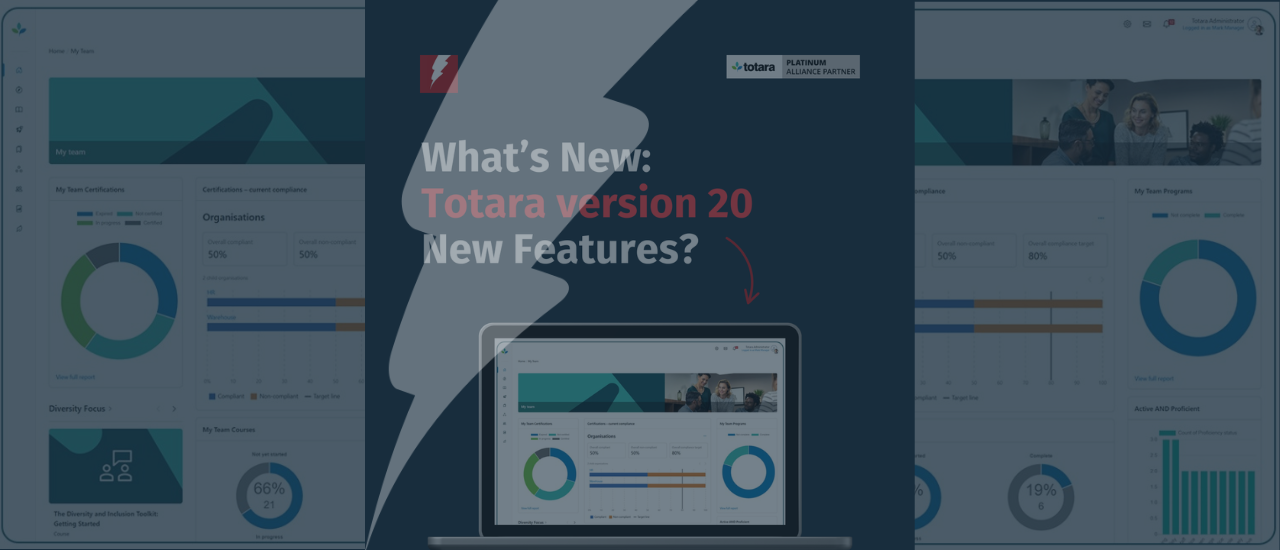
This spring, we are upgrading our Totara platform to version 20, bringing a set of changes we’re genuinely looking forward to using. We are looking at ways to transform the staff experience, and these are just some of the ways in which we are going to do that:
Flexible multi-year recertification pathways
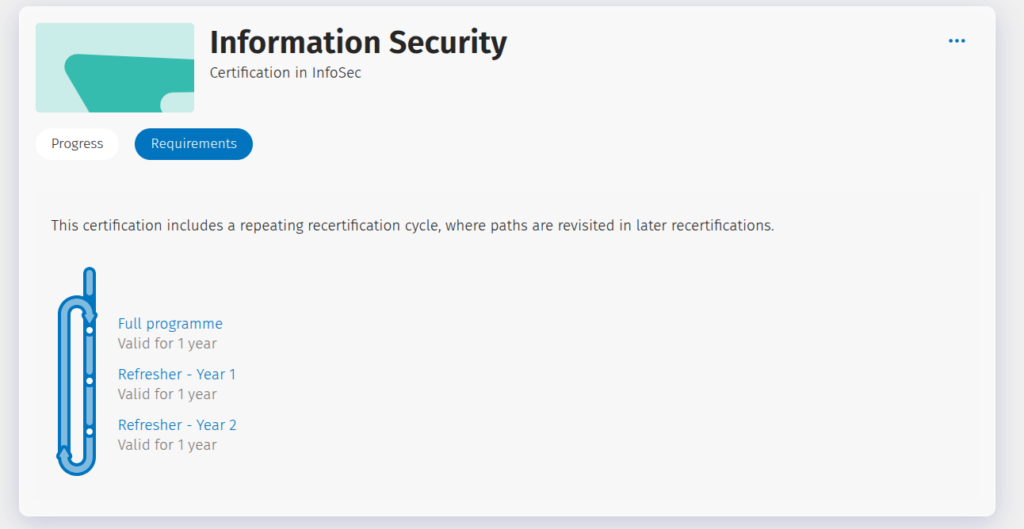
Up to version 19, certifications only had one pathway, with limited flexibility beyond the recertification route. In v20, you can now create a circular pathway.
For example, I’ve set up a pathway where colleagues can take a refresher twice, and then (after three years) they’re prompted to retake the full initial programme again. That means we can keep knowledge current without forcing everyone through the “full course” too often, but still stay audit-ready.
New compliance insights reporting block
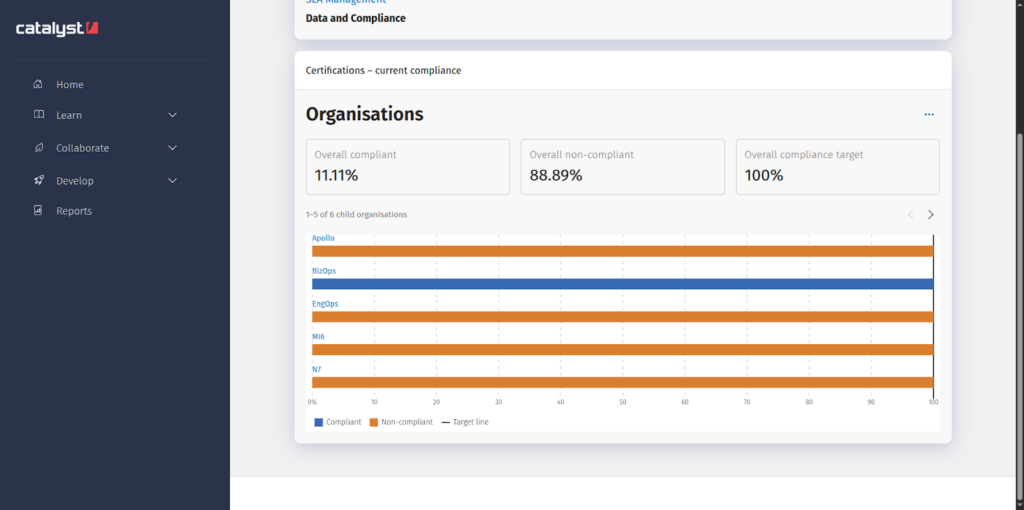
This one is going to be a win for our Data and Compliance Manager, because it provides an at-a-glance view of organisational progress, without needing a manual report build or a workaround.
This block will replace the report we’ve already built to track progress. It’s the kind of visibility that helps teams act earlier: who’s on track, where the risks are, and where we need to nudge. Below, I have shown a snippet of my proof of concept that I can’t wait to see in action for real!
Team Skill Proficiency block and gaps reporting
At Catalyst, every staff member has been assigned to at least two competency frameworks:
- Core Catalyst skills: these are the more ‘soft skills’ like problem solving, effective communication, and making effective decisions.
- Role-related skills: these are specific to the person’s job, for example, a consultant needs to be knowledgeable in the application of certain platforms and knows how to design and deliver workshops, whereas a developer needs to be able to perform code reviews and have an awareness of OWASP vulnerabilities.
In version 20, ‘competencies’ have been renamed ‘Skills’, which, for us seem much more appropriate for our needs. Along with this change of language will come new report sources which will help us to identify at a company level where the gaps in the Core skills areas are (our Internal Services dashboard will have a chart for these), and all Team Leaders will have a chart for their own teams’ specialisms, all using the Team skill proficiency block.
AI SMART goal assistant
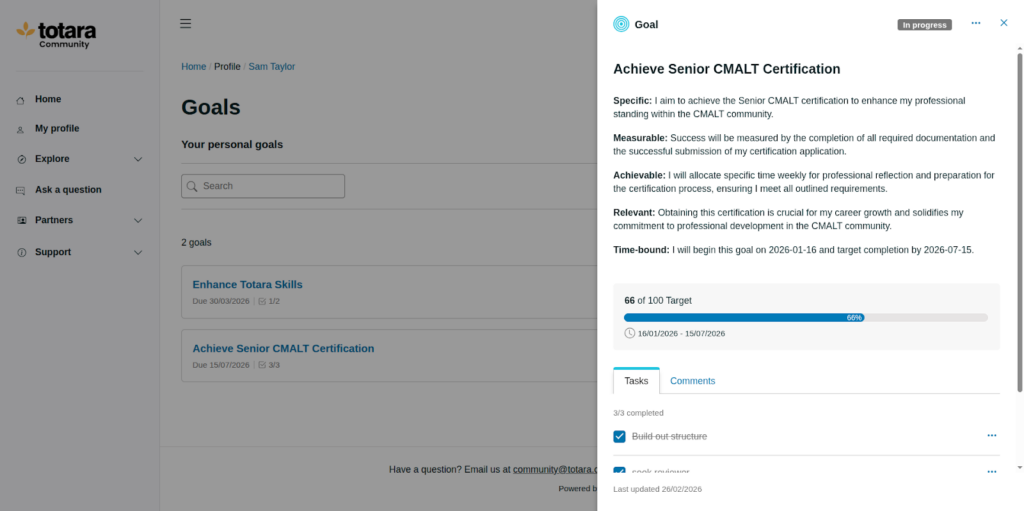
I have already been having fun on the Totara Community site with this AI Goal-assistant feature, where AI is used to help you design a plan of action on how to achieve your goal. You complete three prompts:
- What do you want to achieve?
- Why is this goal important to you or your role?
- How will you know when you’ve achieved it?
…and it helps draft a structured goal and plan.
We are really hoping that by using the AI goal-assistant tool, our teams and individuals can build more realistic goals that are SMART, with the ability to build in more details (and also tasks) to help keep track of progress.
AI Knowledge check-in
This is one we’ll likely trial later in the year, but we know it’s regularly requested by customers. The ability to create informal quizzes from uploaded resources opens up loads of practical use cases.
For us, we hope to use the AI Knowledge Check-in tool to be able to create ad-hoc InfoSec quizzes to help our compliance colleagues measure where knowledge may need updating, or even our HR teams to get a sense of how people are interpreting our policies. The ability to create quizzes from uploaded resources is one that Team Leads could use to get a sense of skill, knowledge and understanding of our processes. So many possibilities!
What we’ll do first
We’ll start with the compliance and recertification improvements, then build out skills reporting so Team Leads can use it without extra admin. After that, we’ll bring in the AI tools that help people move faster, with clear guardrails and human review.
That’s our shortlist based on what we’ll genuinely use day to day.
Want the full Totara v20 release?
In this post, I’ve only highlighted the v20 updates we’re most looking forward to using at Catalyst, the ones that will make the biggest day-to-day difference for how we run compliance and professional development. But there’s a lot more in Totara v20, including updates around time-saving admin workflows, content discovery and search, seminar attendance check-in, mobile offline syncing, new APIs, and privacy controls in Totara Perform.
Watch Totara quick tour of of highlights:
If you’re upgrading to Totara v20 and want help choosing what to implement first, book a conversation with our expert team.